GO Transit App
This project focuses on creating a GO Transit app to reduce commuter confusion and stress with intuitive navigation and accessible trip information to help users navigate stations and plan trips with confidence.
Role
UX Designer, Project Manager
Scope
UX/ Research & Prototype
Tools
Figma, Illustrator, Photoshop
Team Members
Jenna, G., Kezia, E., Mekhi, B., Drake, H.
Problem
GO Transit riders, especially young adults commuting to school or work struggle with unclear station navigation, platform confusion, and a lack of accessible real-time updates with current transit platforms.
Competitive Analysis
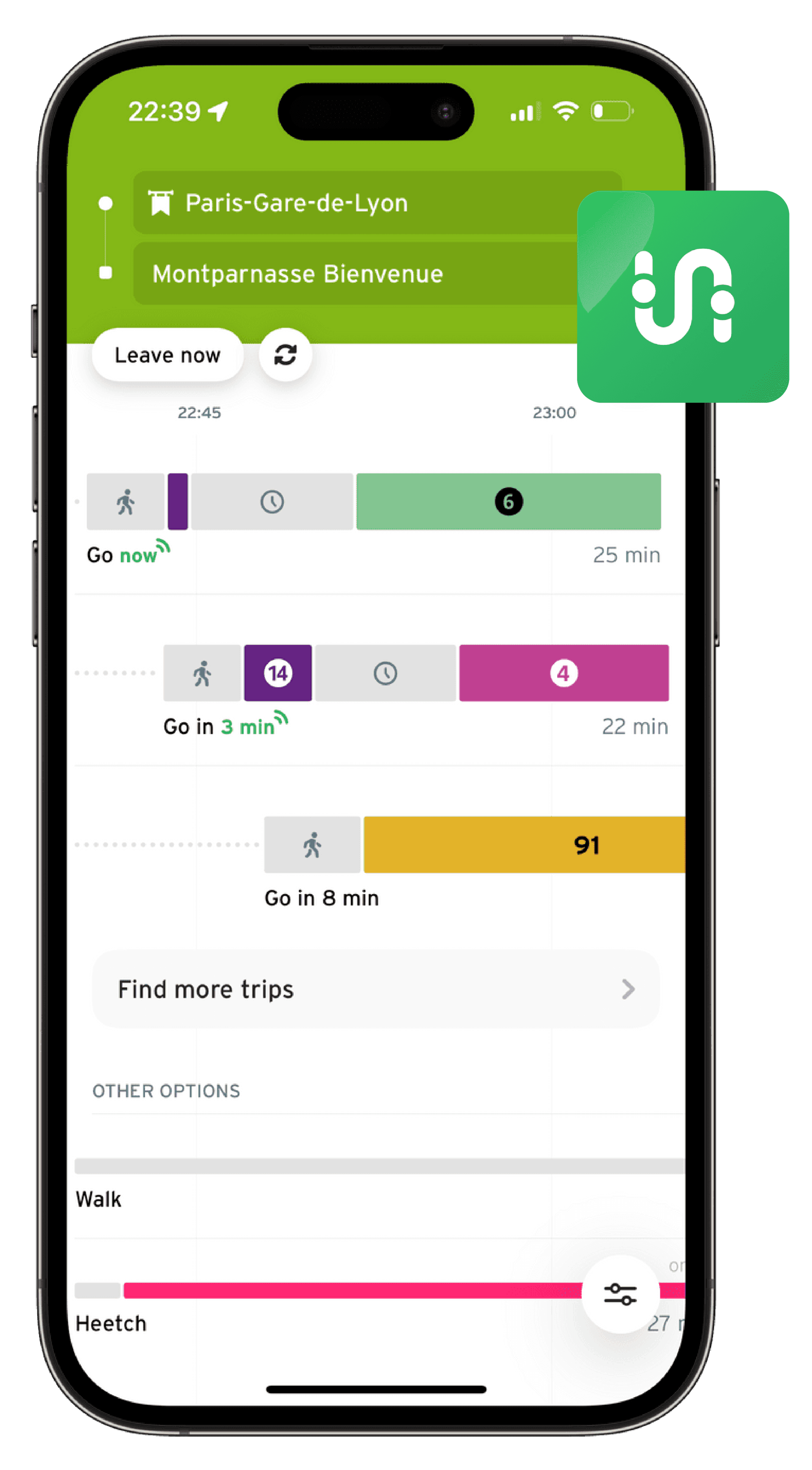
In order to solve this problem we needed to grasp a better understanding of what existing transit application features work and what needs to be improved, our team also asked commuters what third-party apps they use outside of GO Transit's website and conducted a competitive analysis on the most popular one.
App - Transit
Pros
Lots of information available.
Great mix of visuals and text.
Ability to see when next trains are coming for your route.
Alerts section, and ability to receive notifications of alerts.
Cons
Interface is too busy.
Too many colours on the screen at once.
Horizontal timeline is a bit confusing.
"There are too many visuals happening and not enough information that will benefit what I’m looking for, and I also find it inaccurate."
- Alexus, D. (Interviewee)
Solution
With simplified navigation, clearer station and platform information, real-time updates, and enhanced access to ticketing and payment details, the final prototype offers a more guided and convenient transit experience.
Station Finder
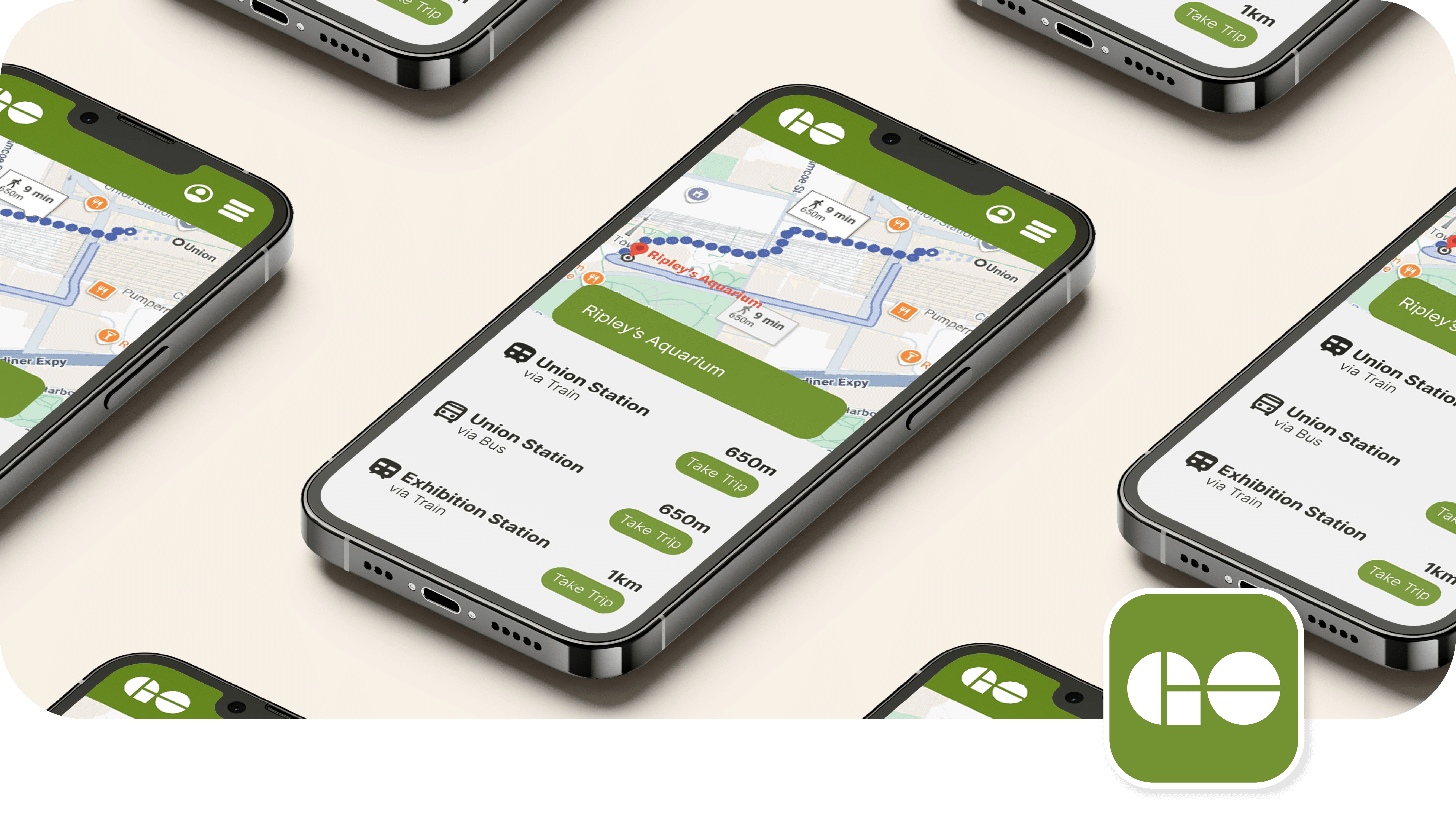
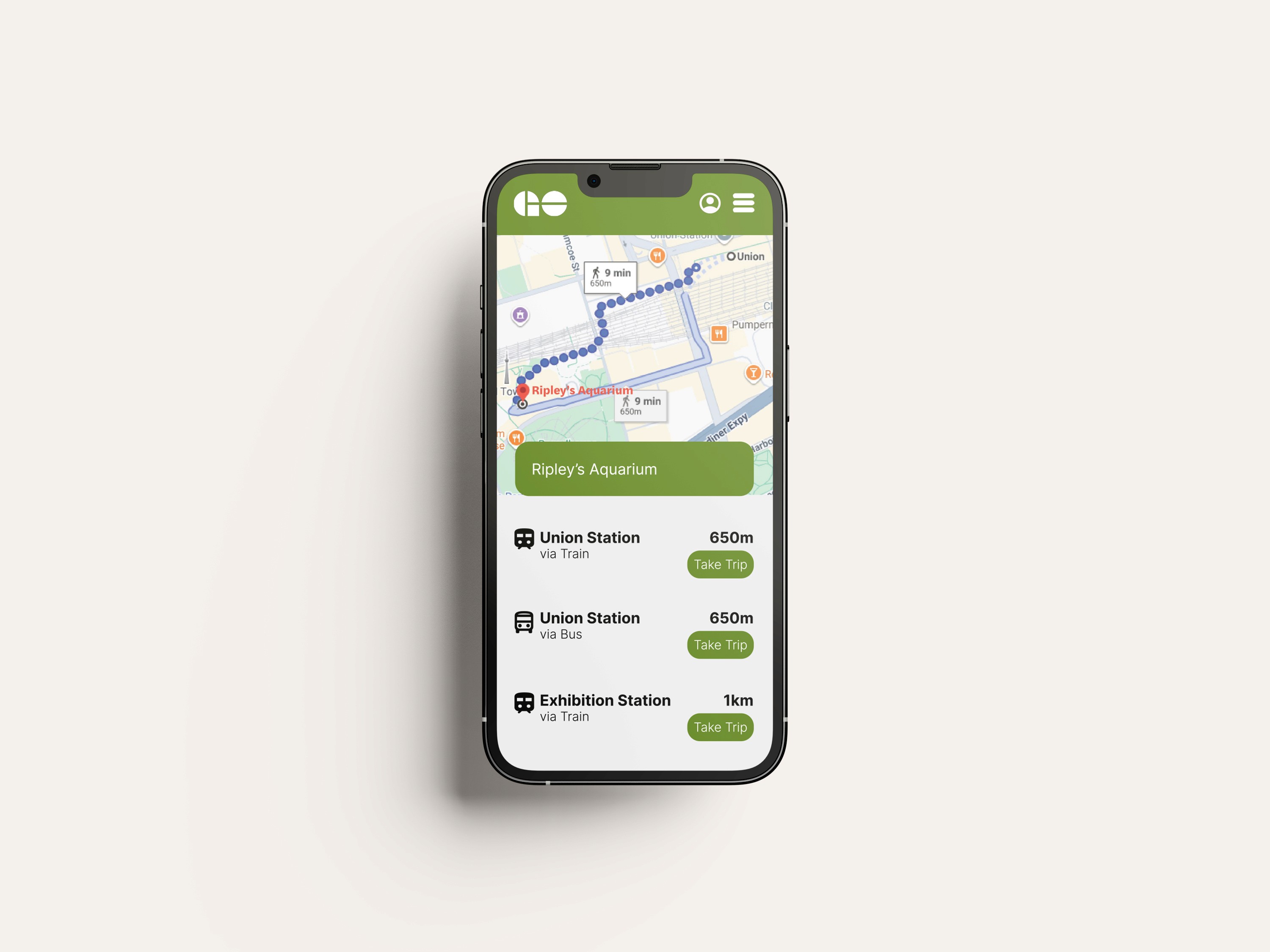
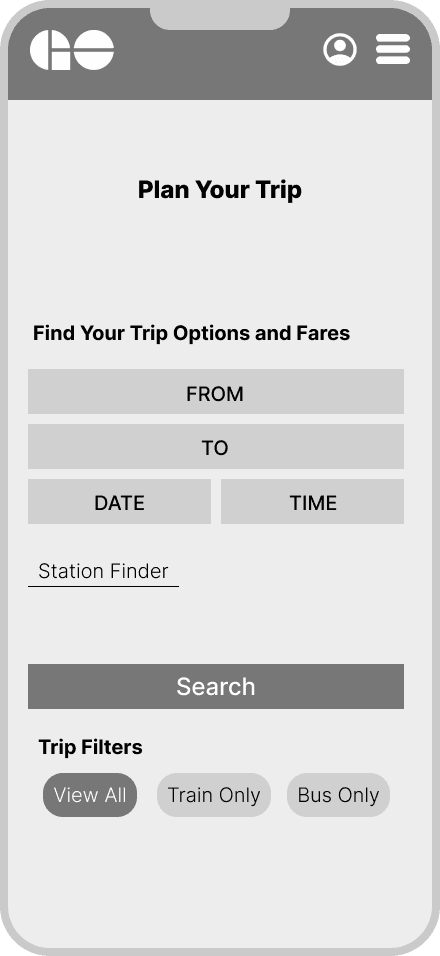
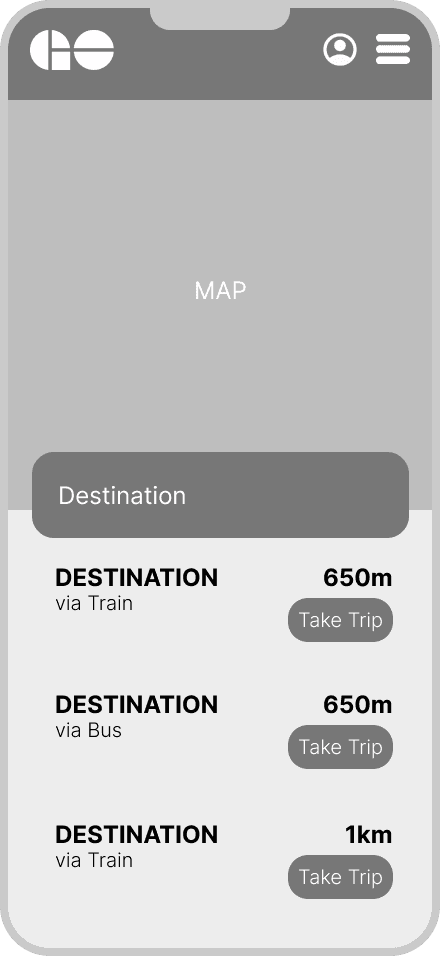
Users found it difficult to find alternate trip routes, as you need to know the exact station name to get trip results. A Station Finder button was added to help simplify and shorten the process of figuring out what line or route users need. Through the Station Finder feature, users are able to see the distance their destination is from the closest station as well as alternate route options through a map with clear routes and navigation.
Trip Information
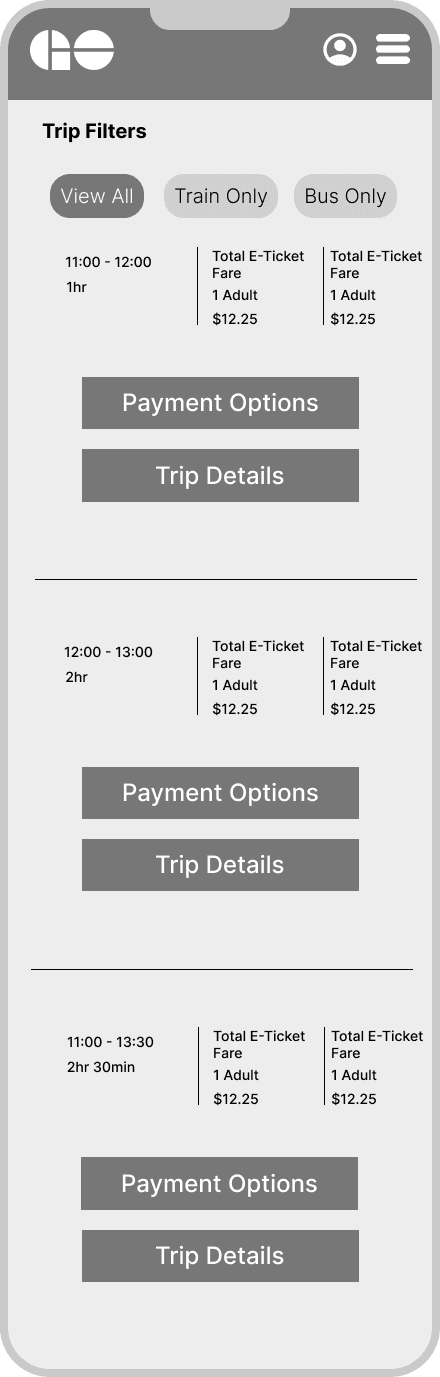
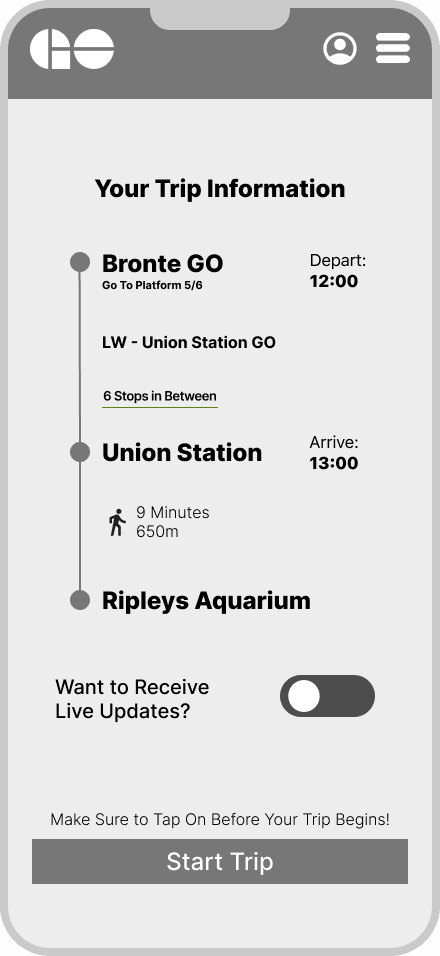
Previously, users would have to input their trip again to view their trip information in the “Plan Your Trip” screen, but we simplified the process by creating a button that takes you directly to your trip information with more in-depth details that users expressed they wanted to see (platform information, live updates, and full trip breakdown).
Live Updates
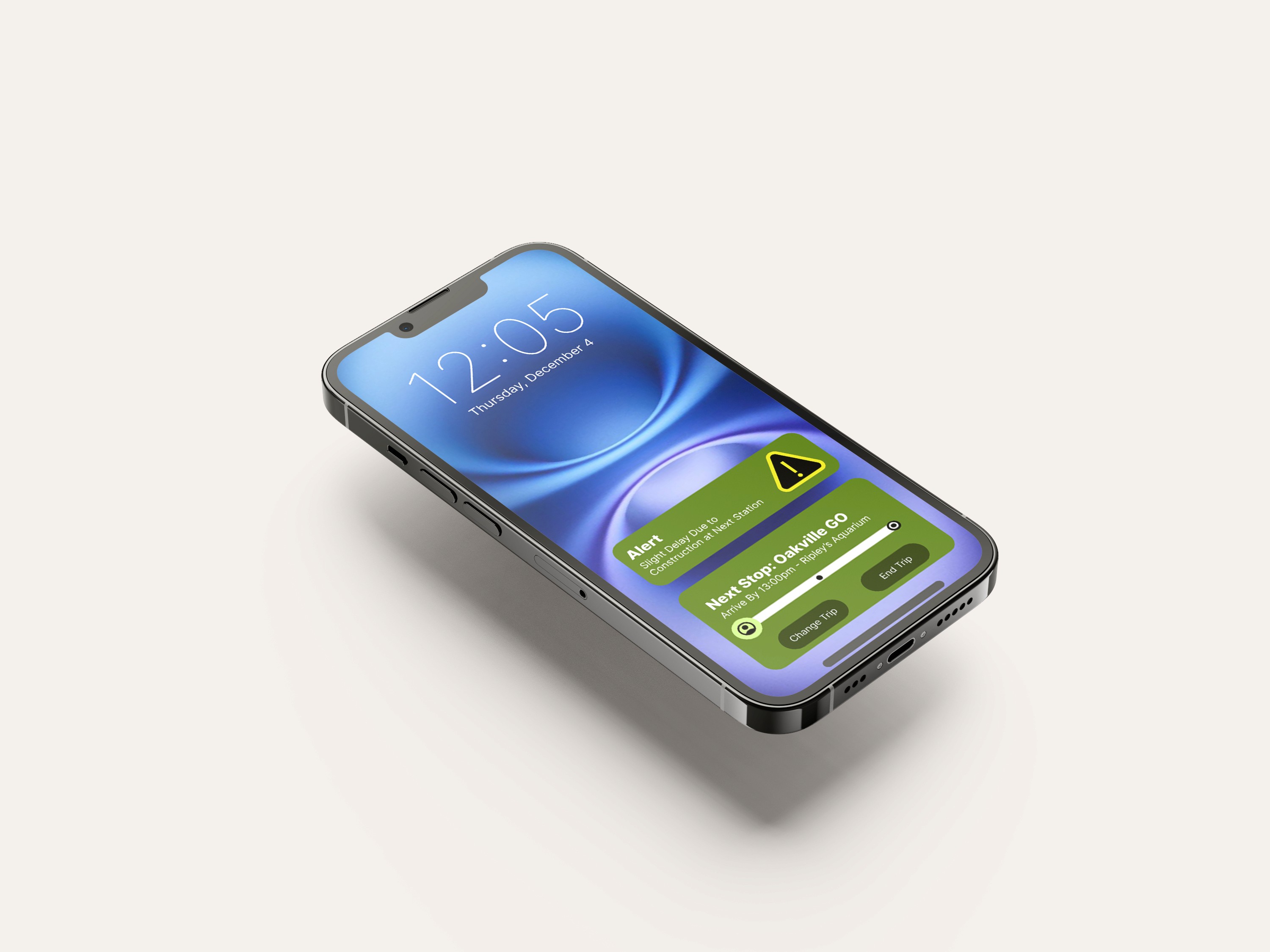
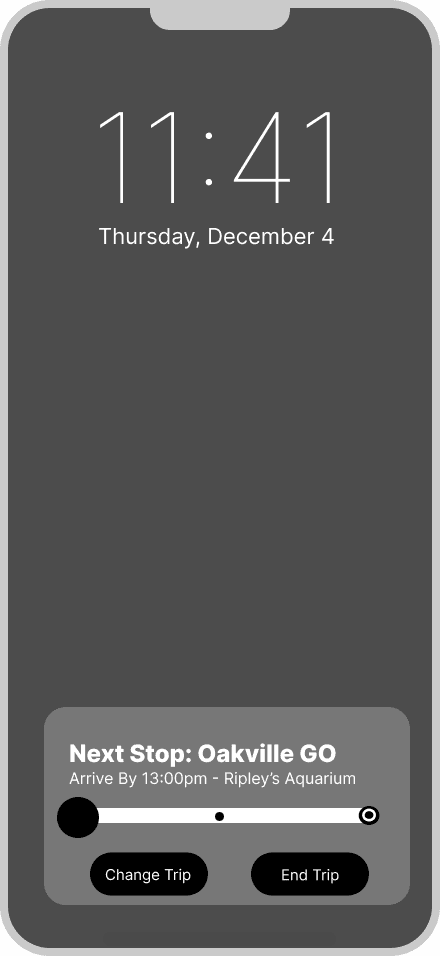
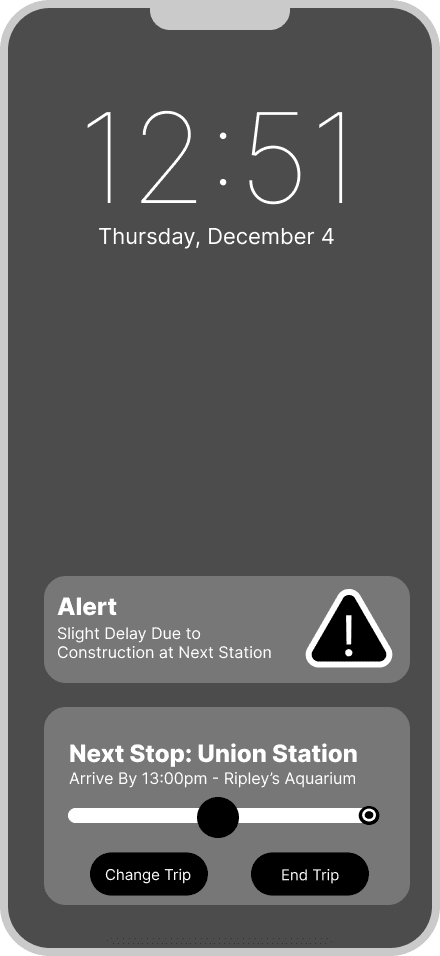
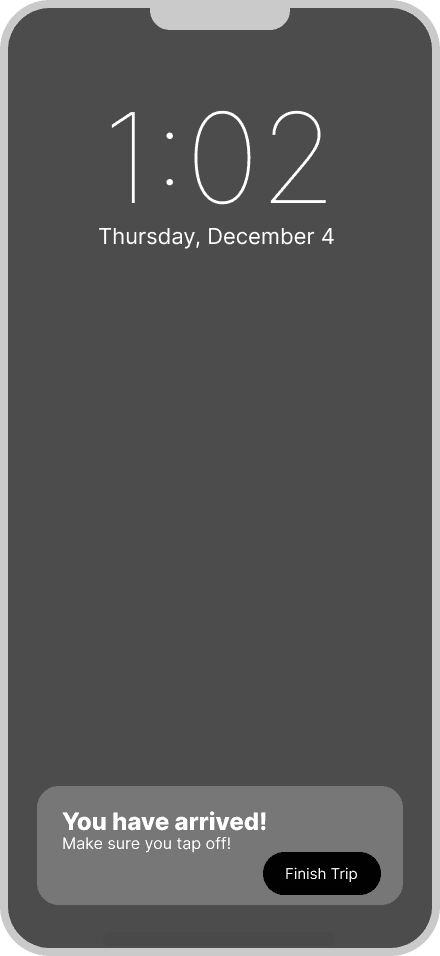
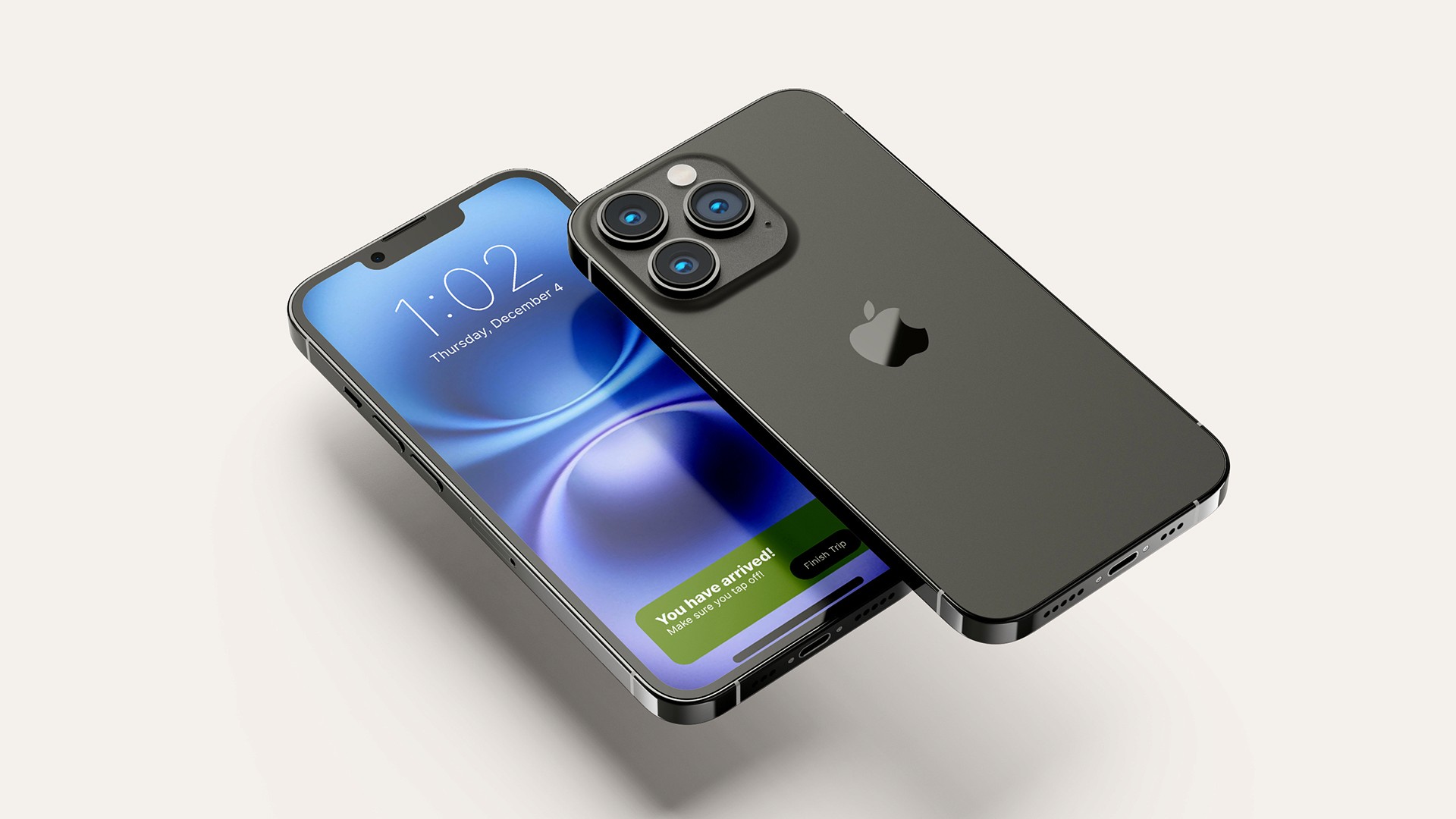
Added live alerts that pop up on your lock screen so users can quickly access this information without having to enter the app. This display relays important trip information as well as a live route tracker that lets users know what their next stop is and the estimated time of arrival, with an option to alter or end the current trip. This pop-up feature will also notify users when they have arrived so they know what station to get off at, as well as remind them to tap off if they used the Tap On feature so they don’t receive additional charges.
Ticket Purchasing
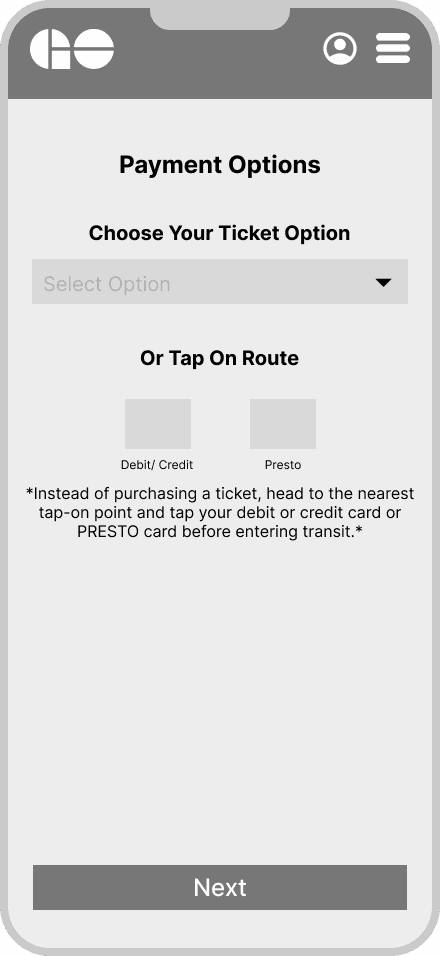
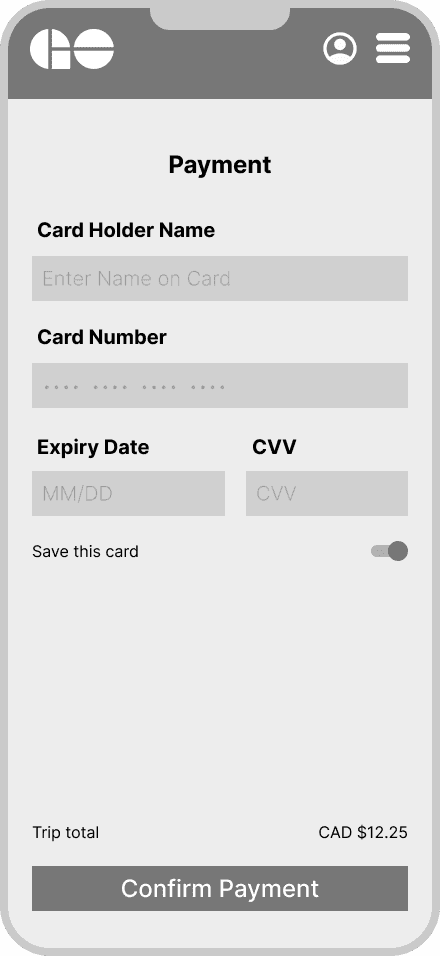
Instead of only displaying ticket information, we made it clear to users that there are alternative payment methods available, such as the newer Tap On with Debit or Credit feature and the more familiar Presto card option. Users can select a ticket option and pay for it directly within the app, providing a more convenient user experience for quick purchases.
Ticket Activation
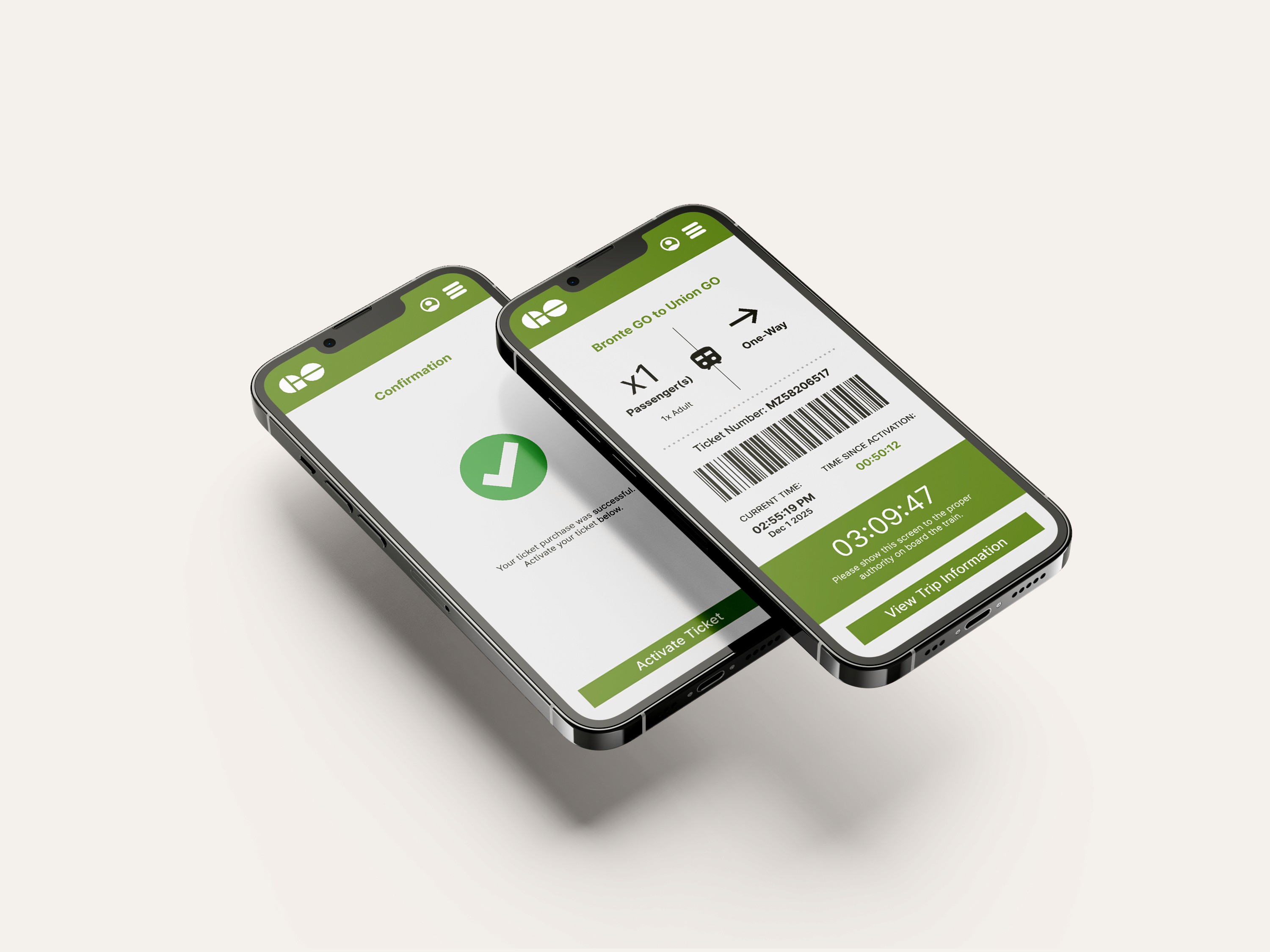
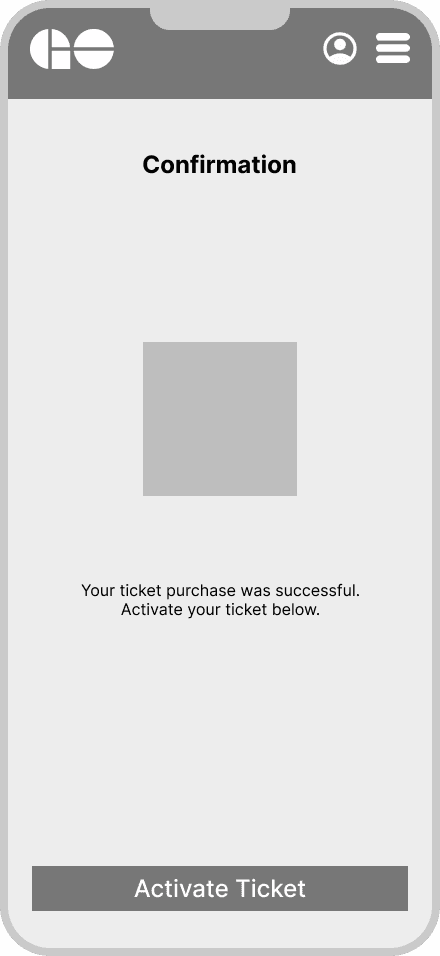
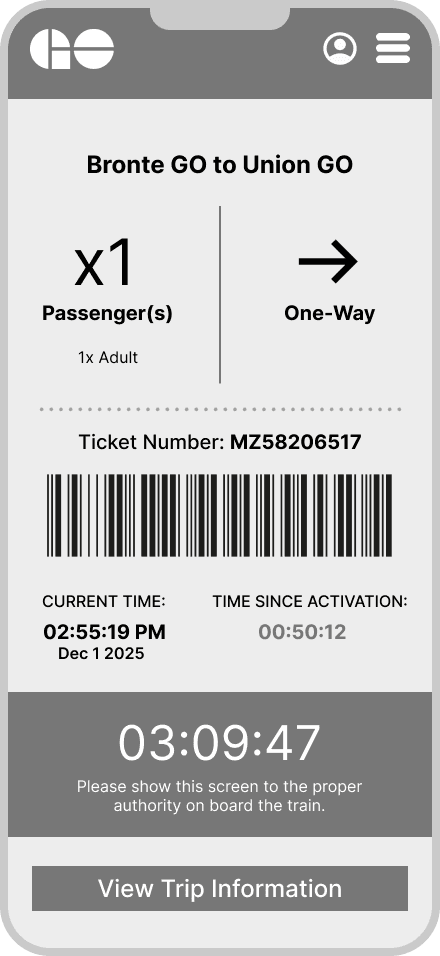
Users expressed that they found it inconvenient that in order to activate your ticket, they had to go through a separate app (mail application). We integrated this feature on the app to shorten the process and number of clicks a user has to go through, providing more convenience and simpler guided steps.
Behind the Solution
In developing the final prototype this project took a user-centred design approach to better understand beginner needs in order to solve current pain points. Explore how this was accomplished…
01
Research
To overcome this challenge, we needed to gain a better understanding of the pain points commuters face when on route or planning a trip so that we could develop a more seamless process. To determine this, our team conducted user interviews with GO Transit riders aged 18-28 who commute frequently, as well as user observations at a local GO station.
Key Insights
Users often don’t know which line their station belongs to.
Platform numbers are not accessible through the current GO Transit website.
Newer users were unsure of acceptable methods of payment and ticket options.
Delays are not efficiently communicated and sometimes aren't at all.
Commuters are forced to use third-party apps, like Google Maps or Find My Friends.
Users found other transit apps too overwhelming and confusing.
Interview Quotes
"The options they have on their website now are very overwhelming and confusing for me, it's too much work and a lengthy process to find info when I need it."
"The process of finding different trips is really difficult and I have to put information in multiple times just to figure out my trip information… If I’m already running late this delays me even more and sometimes I miss my bus by just a little bit."
It would be helpful if I could see where I was on route so I know how much longer I have… If I’m doing work on the bus this could help me plan when I should start to wrap up and get ready to leave.
"I think they could make a platform that has the bus and train schedules, on route location and updates for delays."
02
Low-Fidelity Wireframes
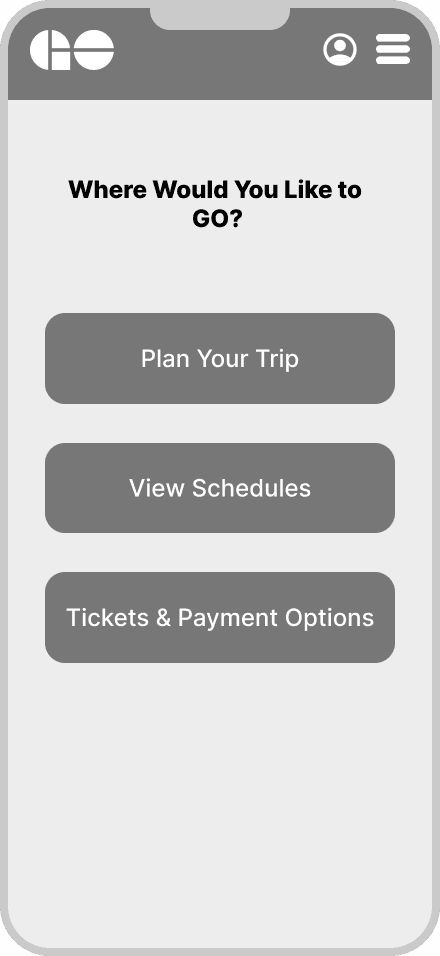
After anaylizing and organising the user reasearch findings, low-fidelity wireframes were then developed with the most important features prioritized with the solution of solving …
03
User Testing
To ensure the developed features solved user issues with existing transit technology, our group conducted usability testing. Further iterations for the prototype were then made according to observed friction points.
Users were asked to complete the following tasks:
Finding a route to Ripley's Aquarium in Toronto
Finding platform numbers
Viewing schedules and alternate routes depending on preference
Purchase and activate a ticket of your choice
Observed Challenges
Repeated scrolling and hesitation
Users tapping incorrect buttons
Confusion around navigation labels and drop downs.
Takeaways
This project demonstrated how user research can direct more successful iterations and emphasized the significance of research to ensure that design decisions are focused on the primary user. I improved my abilities in usability testing, user research, and converting qualitative input into practical design enhancements, especially in time-sensitive, high-pressure situations.
*All trademarks, logos, and brand assets featured in this portfolio are the property of their respective owners and are used solely for educational and demonstration purposes.